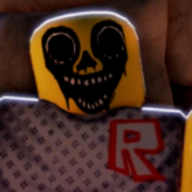
Is there a keyboard shortcut for exorcism?
Beta builds use click interaction with the wooden crucifix — no confirmed dedicated keybind yet.

Night At The Infirmary controls: accept/deny registration, OR treatment clicks, crucifix exorcism, vitals tools, and mobile/console desk actions in Roblox Beta.
Night At The Infirmary desk UI reference.
Night At The Infirmary controls center on mouse interaction with the infirmary desk and operating room. There is no shooter aim — you click patients, tools, and UI prompts in sequence.
Roblox Beta UPD 1 may rebinding keys between patches. This page reflects PC mouse-first play confirmed in July 2026 footage; always peek at in-game settings after an update.
Learn controls on Night 1 where the phone tutorial paces prompts slowly. Night 2 adds deny timing and crucifix cancels under pressure — see Night 2 guide.
Layout reference: map hub · Items you click: items wiki.
There is no "computer controls" minigame separate from treatment — Google searches for night at the infirmary controls computer map to this desk + OR click flow in UPD 1.
Every successful exorcism is click-driven: equip crucifix, confirm prompt, watch banish feedback — no combo keys.
Mouse look — Rotate camera around desk, OR table, and hallway peeks.
Left click — Primary interact: select patients, press UI buttons, grab IV lines, dip fiberglass roll, pick up crucifix.
Click + drag (contextual) — Some prompts ask you to lift patients onto beds or align limbs — follow on-screen ghost outlines.
Keyboard — Roblox defaults (WASD move if enabled, Esc menu). No confirmed global hotkey for exorcism — crucifix is click-driven in Beta.
Phone — Click ringing handset to answer shift briefings. Do not walk away — tutorial is voice-only after pick-up.
Movement — Short walks between desk and OR; no sprint bind confirmed. Plan pathing so you are not mid-hall when bell scares fire.
| Input | Action | Where |
|---|---|---|
| Left click | Interact / confirm prompt | Desk, OR, tools |
| Mouse move | Camera aim | Everywhere |
| Click handset | Answer phone tutorial | Front desk |
| Click deny / accept | Registration decision | Front desk UI |
Patients arrive at the counter — registration is your first control gate.
Accept — Sends patient to operating room; use only after reading name card.
Deny — Rejects patient at window when identity or faceless tell fails early.
Name card UI — Click to focus details (age, injury). Compare to spoken dialogue.
Impatient patients spam lines while you read — controls stay the same; pace is the skill. Deny before accepting if Night 2 identity is wrong — undoing a bad accept costs Sanity.
Once a patient is on the bed, the game chains contextual clicks:
1. Connect IV pump — Click port on patient arm.
2. Heart monitor leads — Click chest or side ports; read BPM panel.
3. Set limb — Click affected arm/leg when bone icon appears.
4. Stockinette — Apply inner wrap prompt.
5. Cotton roll — Padding layer prompt.
6. Fiberglass — Dip in bucket click, then apply to limb.
If vitals fail mid-chain, cancel by grabbing wooden crucifix — click exorcism prompt instead of next cast step.
Bed sanitizer spray — Click bottle, then bed surface when stains appear post-exorcism.
Heart monitor — Auto-reads after connection; no separate button beyond attaching leads.
Temperature gun — Click to aim at patient when prompt appears; readout shows ~37 or anomaly values.
Night vision goggles — Click goggles on desk or hotbar to toggle. Click again to disable — saves Sanity.
Wooden crucifix — Click to equip when exorcism icon shows; follow timed prompt clicks if build adds them.
Night vision plus mouse look is how you spot hallway entities — but hallucinations exist. Confirm with vitals clicks before exorcising.
Every Night At The Infirmary night begins with the same control beats — memorize them so muscle memory survives jumpscares:
1. Spawn at desk — orient camera toward registration counter and phone.
2. Click phone when it rings — tutorial or Night 2 briefing plays automatically.
3. Wait for first patient — UI highlights accept/deny when they arrive.
4. Walk to OR — after accept, move to bed before queue timer stresses Sanity.
Skipping the phone click does not block patients forever, but you miss shapeshifter and faceless rules that explain why controls feel harder on Night 2.
Between patients, repeat: desk → OR → desk. The game rarely asks you to hold more than one active treatment at once in UPD 1.
Out-of-order cast clicks — Clicking fiberglass before monitor connects locks prompts. Fix: complete IV → monitor → read BPM first.
Mis-click during scare — Bell events make players click wrong limb or skip temperature. Pause one second; re-read glowing prompt icons.
Crucifix too late — Continuing cast chain when exorcism icon appears wastes items and Sanity. Crucifix click overrides cast — prioritize it.
Night vision stuck on — Forgetting to toggle goggles off after clean vitals drains Sanity passively. Second click disables.
Deny after accept — Some builds lock deny after accept. Night 2 lesson: hesitate at desk, not in OR.
Practice fixes on Night 1 where device honesty gives feedback before shapeshifter pressure.
| Mistake | Symptom | Fix |
|---|---|---|
| Skip monitor | Red cast prompts | Connect leads · read BPM |
| Panic click | Wrong item selected | Pause · follow glow |
| Late crucifix | Sanity spiral | Abort cast chain |
| Stuck NVG | Wavy vision | Toggle goggles off |
Outside the infirmary map, SHARDS codes use a separate UI — Twitter bird / gift icon in lobby per Beta footage.
Redeem UPD1 (275 SHARDS reported) before queuing nights so you do not fumble icons mid-shift. Full list: codes page.
Codes UI is not part of registration controls — but it is part of the overall Night At The Infirmary control literacy for new players.
Roblox mobile and console map the same actions to on-screen buttons — virtual joystick for movement, tap targets for IV, monitor, crucifix, and registration.
UI buttons scale larger on tablet — easier for cast chains, harder for fast deny on Night 2 shapeshifters.
Headphones still matter on mobile — heartbeat audio cues are quieter through phone speakers.
No Steam Deck-specific layout in Beta — treat as standard Roblox console/mobile until A.D. Games documents otherwise.
Touch targets for temperature gun and crucifix sit near screen edges on phone — use tablet for first Night 2 if mis-taps ruin runs.
Night At The Infirmary shifts run long — control comfort matters.
Take brief breaks during phone dialogue — no inputs required while supervisor speaks.
Lower mouse sensitivity if OR prompts feel jittery during jumpscares.
Redeem UPD1 before marathon attempts so lobby UI is familiar.
This Night At The Infirmary controls page documents Roblox PC mouse-first inputs for Beta UPD 1 — registration accept and deny, operating room treatment chains, crucifix exorcism clicks, and vitals tool toggles. There is no separate computer terminal minigame in current footage; desk UI is the computer.
Shift start phone click is the first control input each night — skipping it does not change button bindings but skips mechanical warnings about shapeshifters and faceless patients on Night 2. Walk paths between desk and OR are short; WASD matters less than click precision during cast steps.
Treatment chain order is enforced by red prompts — IV before monitor before limb set before stockinette before cotton before fiberglass dip. Crucifix click interrupts any step when anomaly confirmed. Temperature gun click appears when prompt glows — treat glow as mandatory pause, not optional roleplay.
Night vision toggle is two equal clicks — on to peek, off to preserve Sanity. Mobile and console use on-screen taps with larger hit boxes but identical logic. Lobby gift icon click redeems UPD1 SHARDS before shifts — separate control layer from infirmary map.
Common mistakes section above lists mis-click fixes — re-read after first Night 1 clear. Night 2 adds deny timing pressure at desk before OR chain begins — controls page plus Night 2 guide plus patients hub forms complete input documentation for duplicate faces.
When A.D. Games patches controls, verify phone tutorial still matches this page — tutorial text is the authoritative control changelog until official patch notes exist.
Deny button placement stays near accept on registration UI — if your build moves UI, re-map mentally on first patient each session.
Cast chain mis-clicks during bell scares cause most control frustration — lower mouse sensitivity one notch before Night 2 attempts.
Crucifix and sanitizer share wall space in OR — control muscle memory should pivot between them without 180-degree spins.
Temperature gun prompt sometimes hides behind patient model — rotate camera slightly, not fully, on faceless cases to preserve Sanity.
Some Beta builds show tooltips on hover — PC hover does not replace click; still confirm each prompt glow.
Recording your first Night 1 for review beats reading controls twice — watch where clicks landed relative to prompts.
Night 2 deny should happen before walking to OR — movement controls matter less than desk decision speed.
If soft-locked, Esc to Roblox menu and rejoin — no in-shift reset button documented.
Controls wiki last verified July 2026 alongside updates — report drift if tutorial adds new buttons.
Under jumpscare input lock, Night At The Infirmary still accepts the next valid click — pause beats mash.
Registration deny click window may be shorter on impatient spawns — read card before voice lines finish if UI already visible.
OR bed click to place patient sometimes precedes IV — if patient stands, click bed again before pump.
Monitor leads click twice on some rigs — if BPM blank, reconnect leads before calling anomaly.
Temperature gun requires patient facing — rotate camera minimally, not maximally, on faceless cases.
Crucifix prompt may appear same frame as cotton prompt — crucifix always wins priority.
Spray bottle second click on bed stain must land on highlighted mesh — wavy Sanity vision misaligns cursor; slow down.
Phone hang-up is not a control — briefing ends itself; do not hunt hang-up button mid-shift.
Esc opens Roblox menu — avoid during cast chain unless soft-locked.
Mobile: pinch zoom breaks click alignment — reset zoom before crucifix attempts.
Console: use cursor speed settings for deny timing on Night 2 duplicates.
Lobby gift menu opens pre-shift — enter UPD1 before walking to desk first time each session.
Spectator/co-op unconfirmed — controls assume solo doctor until updates says otherwise.
Speedrunners still click monitor before cast — any "skip vitals" strat dies to shapeshifters.
Practice chain on Night 1 until muscle memory survives one bell scare without mis-click — then Night 2.
Night At The Infirmary controls are deliberately mundane — horror games that make you mis-click cast steps feel unfair; this one earns unfairness through Sanity and timing, not through hidden keybinds.
Phone click at shift start is non-optional learning — Night 2 briefing text is controls documentation spoken aloud.
Accept and deny are the only desk buttons that change entire chains — mis-click accept on faceless patient costs more than mis-clicking cotton roll.
Walking desk to OR is downtime you can use to breathe — no sprint tech, no roll cancel, just pace control as Sanity management.
IV click must precede monitor click — the game enforces order; fighting order fights the UI red prompts.
Limb set click is where camera zooms close — prepare for scares between set and stockinette, not after fiberglass.
Temperature gun click often appears after monitor — treat glowing gun icon as mandatory pause, not optional flavor.
Crucifix click can interrupt any cast step — the best control skill is knowing when not to click the next cast button.
Sanitizer click is two-step — bottle then bed — skipping second click leaves Sanity on the table.
Night vision toggle is two equal clicks — on then off — not one long stare session.
Mobile tap targets punish Night 2 deny timing — tablet players may have easier shift starts than phone players.
Console aim assist does not help crucifix — precision is still yours.
Lobby gift icon click for UPD1 is pre-shift control literacy — practice before Night 2 marathon.
No Shutters button exists in UPD 1 doctor loop — deny at desk replaces old wiki misinformation about window rejects.
Full item names for each click live on items — this page is inputs only.
Night At The Infirmary controls = mouse-first desk and OR clicks on Roblox PC in Beta UPD 1.
Shift start: click phone → wait for patients → accept/deny at desk.
Movement: short walks desk ↔ OR — no complex movement tech.
Registration: accept sends to OR · deny rejects at window.
OR chain: IV click → monitor click → read BPM → limb set → stockinette → cotton → fiberglass dip.
Abort chain: crucifix click when vitals fail or anomaly confirmed.
Temperature: click gun when prompt glows — read ~37.
Night vision: click goggles toggle on/off — off saves Sanity.
Sanitizer: click bottle → click bed stains after exorcism.
No global exorcism hotkey confirmed — crucifix is click-only.
Mobile/console: on-screen tap equivalents for all actions.
Lobby: gift icon for UPD1 code entry — separate from shift controls.
Learn on Night 1 before Night 2 deny pressure.
Beta builds use click interaction with the wooden crucifix — no confirmed dedicated keybind yet.
Registration desk UI near accept — visible when a patient waits at the counter.
Complete IV and monitor first. Out-of-order clicks leave the chain locked until prior steps finish.
Beta — yes. Re-read in-game prompts after each Roblox update and check our updates page.
Click the handset when it rings at shift start — required for Night 1 and Night 2 briefings.
Matched by build plan, shared topics, and guide progression — not random related links.